Macro Studio Masterclass
The best focus-stacking software deserves to be used to its full potential.
Satisfaction Guarantee
100% Secure Order
Instant Lifetime Access
Learn to use Macro Studio faster, smarter and more effectively
and get the best possible results from your focus stacks.
Macro Studio is packed with powerful tools and features. But even the best software is only as good as your understanding of it.
You might be using only a fraction of its capabilities, spending too much time on tasks that could be done much faster, or struggling with results that could easily be improved using the right tools.
That's where this masterclass comes in. Give me less than two hours, and I'll show you how to get much more out of Macro Studio.
No endless trial and error. No unnecessary theory. Just practical knowledge, demonstrated step by step.
Please note that the Macro Studio software licence is not included in the course price.
single shot
vs
stacked
...in case you needed
another reason
to dive
into the world
of focus stacking...
vs
For just US$49
you'll become a Macro Studio expert
Unlike for example Photoshop, Macro Studio is a software that usually has one way of doing things right, rather than 100 different ones. That's why it is much easier to learn.
But there are plenty of features and possibilities that aren't immediately obvious. Some can save you enormous amounts of time, while others can make the difference between a good stack and an excellent one.
Now you can benefit from all my research and knowledge without having to figure it all out yourself. Self teaching is so yesterday and costs so much time that you could otherwise spend shooting.
Follow along with these working files
Follow every one of my steps by using these sample images that I provide.








What you will learn
I'll walk you through every tool and feature of Macro Studio.
Here are just a few highlights of what you'll discover.
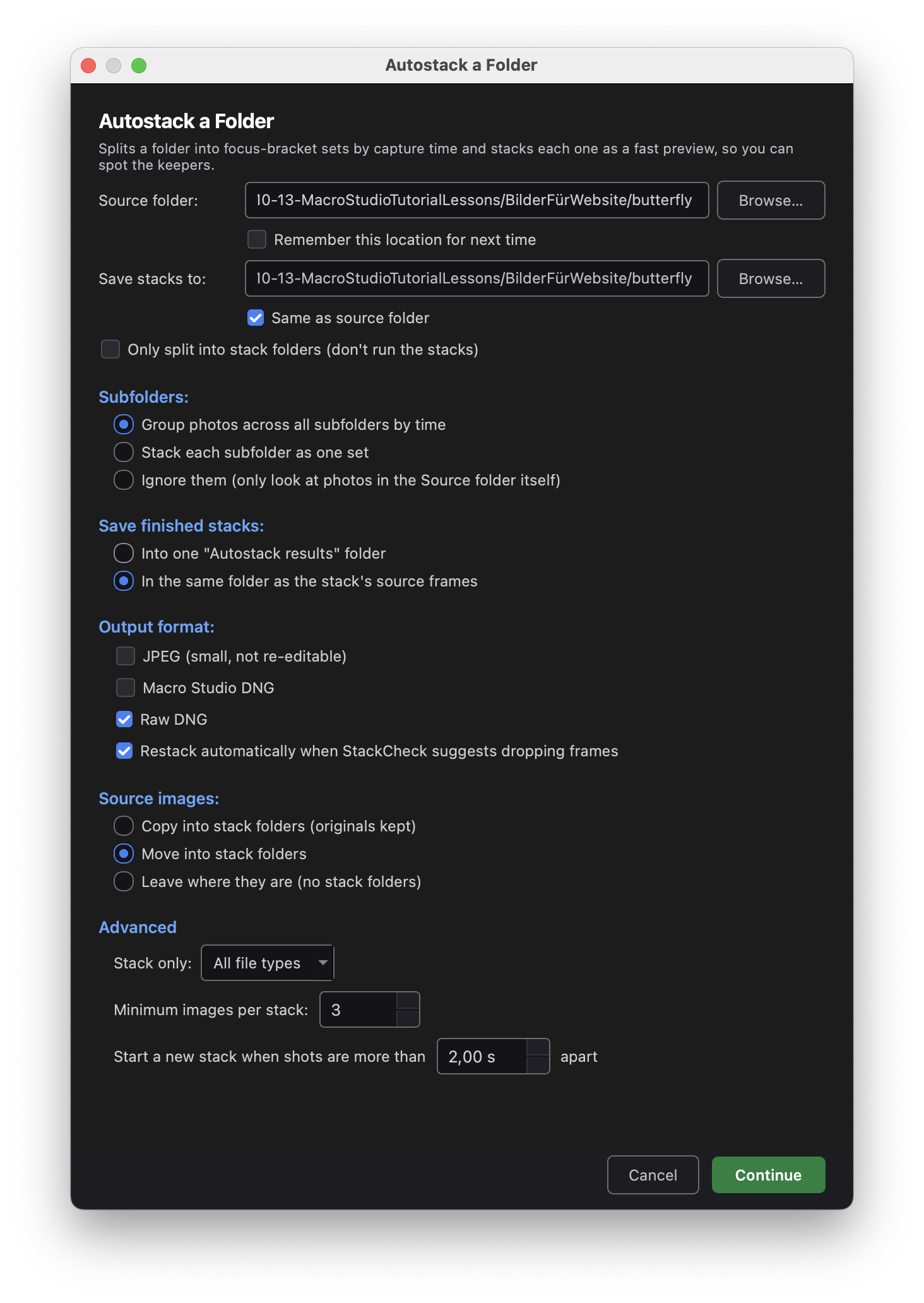
1. Find your keepers while drinking a coffee
You know that feeling when you capture a beautiful subject, take dozens or even hundreds of shots, and can't wait to see the final result?
And then reality kicks in: Hours of sorting, stacking, checking, fixing and editing. What should be the exciting final part of your photography can quickly turn into a chore.
Macro Studio has some clever tools that make this process much easier and faster. I'll show you how to use them so you can spend less time sorting images and more time shooting.
2. Save shots with moving antennae
It's frustrating when a tiny movement ruins an otherwise fantastic photograph.
The good news is that Macro Studio offers several ways to deal with these problems using its retouching tools.
Most photographers have only tried the most obvious – and often most difficult – method.
I'll show you alternative techniques that are frequently easier to use and can produce better results.
3. Fine-tune your results for professional-looking images
Sometimes Macro Studio produces an almost perfect result straight away.
But particularly at high magnifications, or when dealing with complex details such as overlapping hairs, no focus-stacking software can solve every problem automatically.
That's where knowing how to retouch and fine-tune your results becomes essential.
I'll show you the little tricks and techniques that make the difference between an acceptable stack and a truly polished photograph.
4. And so much more...
Macro Studio is surprisingly easy to get started with.
But the deeper you explore, the more powerful features you'll discover. Some are obvious. Others are hidden in places you might never think to look.
I'll take you through the entire software and show you how to use its tools effectively, so you can get the most out of your investment.
I'll even teach you how to use Macro Studio to edit your single shots so that you no longer have to pay for a monthly subscription of Adobe Lightroom.
Edit single shots to draw attention to your subject.
Automatically add beautiful watermarks
Remove distractions.
The full list of lessons
Intro
1 - Welcome & Important Info
2 - Choosing Your Worflow
How to Convert Brackets Into Stacks
3 - Importing Images and Autostacking
4 - Stacking Files Manually
Basic Editing
5 - Overview of the Edit Mode and Basic Editing
Saving and Social Posts
6 - Advanced Saving
7 - Creating Watermarks
8 - Drafting Social Media Posts
Cropping
9 - Cropping
Advanced Editing
10 - Masking
11 - Retouching Stacks
12 - The Spot Correct Tool
13 - The Defringe Tool
14 - Compare
Becoming a Real Expert
15 - Library Masterclass
16 - Combining Macro Studio With Other Apps
17 - Customizing Keyboard Shortcuts
Important Final Lessons
18 - How and why to Send Feedback
19 - How to Best Continue Your Journey
Bonus Lessons
These Lessons are unscripted to give you an even better understanding of the editing process
20 - Watch me Edit a Butterfly Stack
21 - Watch me Edit Difficult Antenna
22 - Watch me Edit a Spider on a White Rose
About your instructor
Wolf Amri, award-winning professional photographer and filmmaker
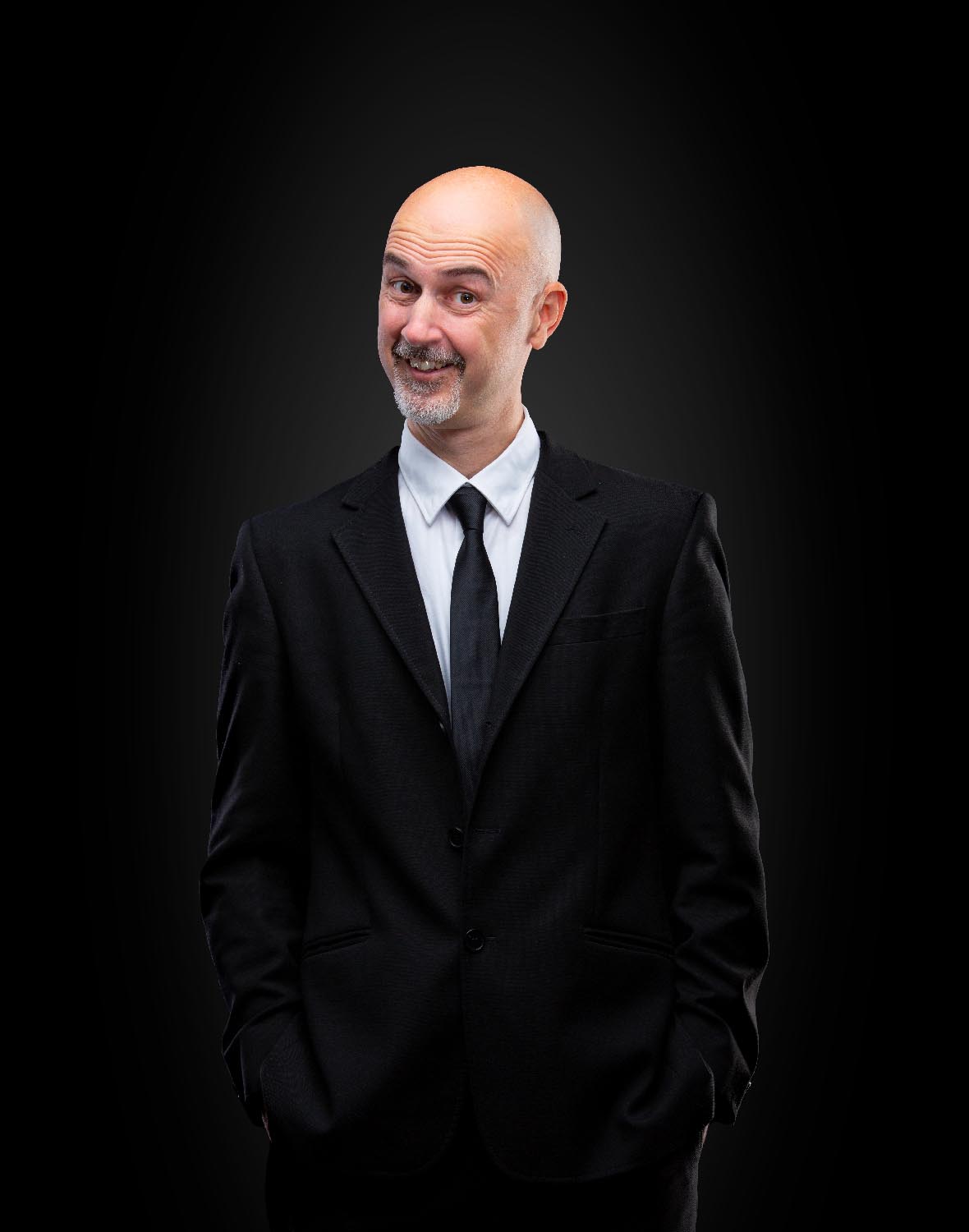
Hi, I'm Wolf!
I've been a professional photographer since 2007, and my biggest hobby is..... photography - particularly macro photography!
Over the years, I've created educational videos and courses covering different aspects of photography. I'm incredibly proud to have built a YouTube community of more than 100,000 subscribers.
People often tell me that my way of teaching makes complicated things easier to understand.
That's exactly what I aim for.
I don't believe that a course needs to be 20 hours long to be valuable. I believe in well-structured lessons that get straight to the point.
My courses are carefully scripted, so I don't forget important details, repeat myself unnecessarily or waste your time.
My promise is simple: I'll teach you everything you need to know in the shortest time possible. For this masterclass, that means less than two hours to become confident using Macro Studio.
Why learn Macro Studio from me?
My relationship with Macro Studio goes back to the very beginning.
Ryan Cush, the creator of Macro Studio, first approached me after joining my Facebook Macro Photography Group. He wanted me to try his new software.
I was completely honest with him. At that time, its stacking results weren't yet good enough to compete with the established alternatives. But Ryan went back to work, and a few weeks later I was amazed by how much he had improved the stacking algorithm. The results were suddenly on par with the leading software – and they kept getting better.
At the time, I was working on my Macro Photography Masterclass. I had plenty of ideas about how focus-stacking software could make life easier for macro photographers. I shared those ideas with Ryan, and one by one, he introduced features that addressed many of the frustrations I'd experienced with other programs.
Before long, Macro Studio had become my software of choice and I decided to replace the software section of my general Macro Photography Masterclass with Macro Studio.
Despite having good knowledge already, I've gone through the manual several times. I combined that knowledge with more than three decades of experience editing with programs such as Photoshop and Lightroom, and followed every new update.
Ryan and I have since become friends. We still chat almost daily, exchange ideas and discuss possible improvements. I sometimes even get access to beta releases, allowing me to explore new features and update my teaching material.
So you're not learning Macro Studio from someone who simply knows how to operate the software. You're learning from someone who has followed its development closely, tested its possibilities and knows how to get the most out of it.
See what's possible
Every photograph in this gallery was taken by me and edited in Macro Studio.
These are real photographs from my own macro photography. And every image in this masterclass is also my own work. This is what you will soon be able to get when your photography skills meet the right software skills.











Your purchase is risk-free
7 Day Money-Back Guarantee
There's nothing worse than paying for a course and discovering that it isn't what you expected.
That's why I offer a seven-day money-back guarantee.
Take the masterclass, explore the lessons and try the techniques yourself. If you're not satisfied, simply request a refund within the first seven days.
No hard feelings. No unnecessary arguments.

Ready to get the most
out of Macro Studio?
Less than two hours. A lifetime of useful knowledge.
Stop guessing. Stop overlooking useful features. Stop spending time figuring out things that could be explained in minutes.
Learn the tools, understand the workflow and discover techniques that will make working with Macro Studio easier and more enjoyable.
FAQ
Do I need previous experience with Macro Studio?
No you don't.
I will direct you from first opening the software to the tricks that only masters usually use, without needing any previous software knowledge of any kind.
Do I need to own Macro Studio before purchasing?
No you don't.
There is a publicly accessible, fully functional 30 day trial version that you can use for the course. You will even get a discount code for purchasing the macro studio (which is deliberately no referral link as I want to stay objective).
How long will I have access to the course?
It's a one-time purchase, so you will have lifetime access.
Are the sample images included?
Yes, there are lots of sample images included. Most of them are smaller resolution jpgs to keep the download file size small, but where it makes a difference, I even include the RAW files.
Can I follow along using my own photographs?
Yes you can, but for some lessons I really recommend to use the downloads as starting with them will give you a deeper understanding on how the features work, so that you can later use them on your own images.
Which version of Macro Studio does the course cover?
I am regularly updating the course to keep it up to date with new releases. Yes, that's a lot of work, but I'm passionate ;).
Will I receive updates when Macro Studio introduces new features?
Yes, you will. Unless you opt out of my email newsletter, you will receive updates every time there are new features.
Is the Macro Studio software included in the course price?
No. The US$49 purchase gives you lifetime access to the masterclass and its learning materials. A Macro Studio software licence must be purchased separately.